
One of the features I most appreciate the APEX development team for are those that save me significant amounts of code. APEX Email Templates, introduced in APEX 18.1, are one of those features. In this post, I will describe how we used them for much more than email templates when building a notification framework for a customer.
Background
The project at hand was to build a notification framework. This framework needed to handle multiple notification types including:
- Email (via APEX_MAIL and Mailgun)
- SMS via Twilio
- Push notifications to iOS apps using Firebase
We created a generic notification queue that was processed on a schedule to send notifications. The key insight is that APEX Email templates apply to all communication methods through the apex_mail.prepare_template PL/SQL API.
Templating
Templating separates notification content from format and layout, allowing template alterations without code changes. This applies to email, SMS, and other notification methods.
Using a “New Order notification” example, templating prevents the need for code changes when marketing departments modify email layouts. The template can be updated independently of the application code.
Creating a Template
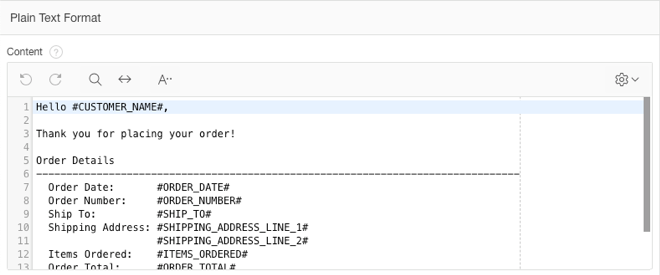
In APEX 18.1, Email Templates are found under Shared Components. Templates use boilerplate text and placeholder variables enclosed in # symbols, uppercase, with no spaces (e.g., #ORDER_NUMBER#). These placeholders are substituted at runtime by apex_mail.send and apex_mail.prepare_template.
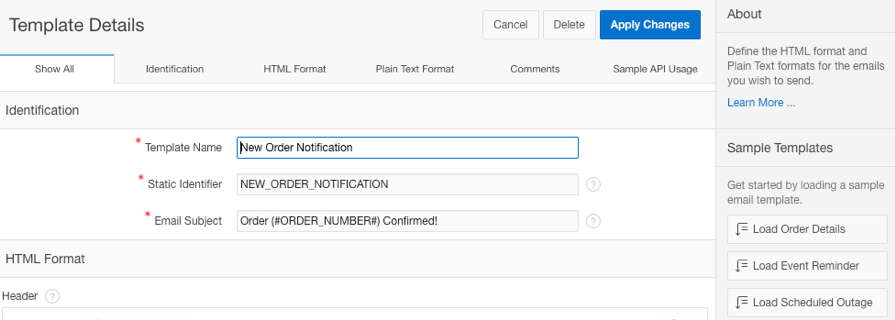
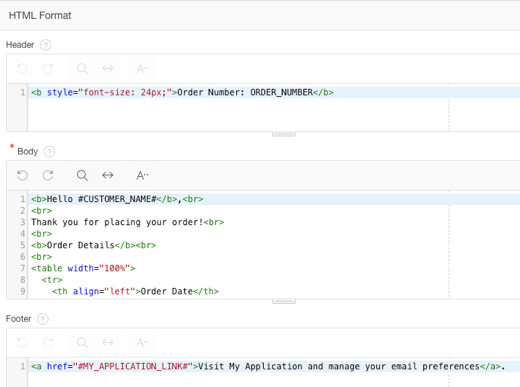
Templates include:
- HTML Header, Body, and Footer sections
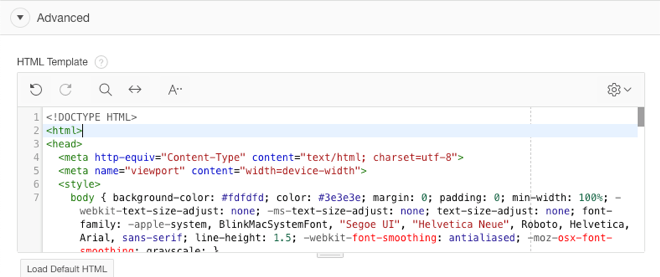
- An HTML Template field (Advanced section) controlling overall email structure
- A Plain Text section for email clients supporting text-only formats
The APEX team provides a default template, though developers can use templates from sources like Zurb (foundation.zurb.com/emails.html).
Previewing the Template with Real Data
The apex_mail.prepare_template API allows template preview. A PL/SQL block builds JSON placeholder data, calls the API, and outputs results to a browser-viewable HTML file. The process requires:
p_application_id(the APEX app where the template was created)p_static_id(template identifier)p_placeholders(JSON with substitution values)
The API substitutes placeholders in the template, subject, and text body.
DECLARE
  l_placeholders CLOB;
  l_html         CLOB;
  l_text         CLOB;
  l_subject      VARCHAR2(4000);
BEGIN
  -- Build JSON placeholder data
  l_placeholders := '{' ||
    '"ORDER_NUMBER":"12345",' ||
    '"CUSTOMER_NAME":"ABC Corp",' ||
    '"ORDER_DATE":"01-APR-2019",' ||
    '"ORDER_TOTAL":"$1,234.56"' ||
  '}';

  -- Call prepare_template
  apex_mail.prepare_template(
    p_static_id    => 'NEW_ORDER',
    p_placeholders => l_placeholders,
    p_application_id => 100,
    p_subject      => l_subject,
    p_html         => l_html,
    p_text         => l_text);

  -- Output results
  DBMS_OUTPUT.PUT_LINE('Subject: ' || l_subject);
  DBMS_OUTPUT.PUT_LINE('HTML: ' || l_html);
  DBMS_OUTPUT.PUT_LINE('Text: ' || l_text);
END;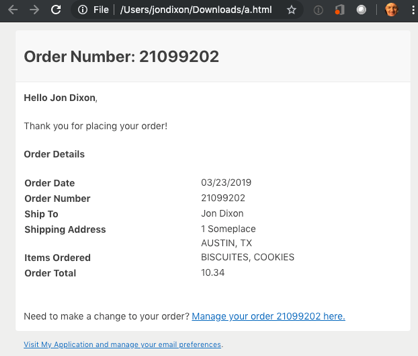
Sending the Email
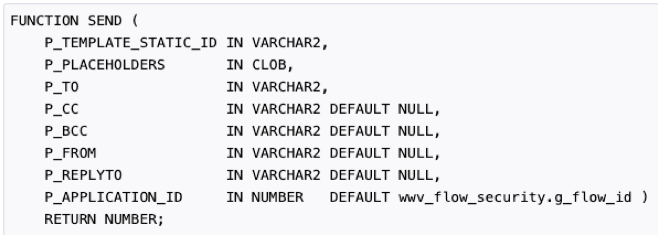
APEX 18.1 introduced a new ‘send’ function that handles both prepare_template and email delivery in a single call.
Other Notification Methods
Mailgun
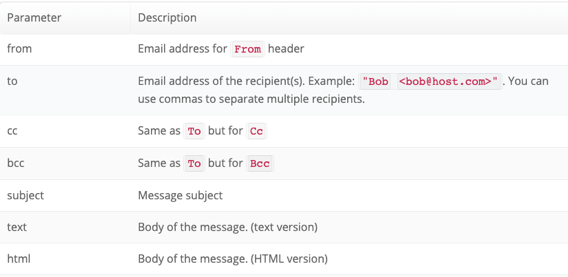
The Mailgun API requires subject, text (body), and html (body) parameters - exactly what apex_mail.prepare_template returns. Results from this API call are passed to the Mailgun API for email sending.
Twilio
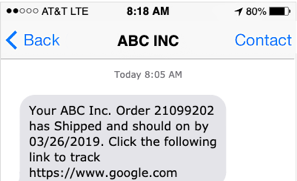
The Twilio Messages API expects a message body for SMS. While subject and HTML body values are returned by prepare_template, only the plain text format portion is consumed for SMS. The prepare_template call is identical; developers simply use only p_text from the response.

Language Support
Multi-language support is available. When an APEX application is seeded and published with multi-language enabled, language-translated template versions are generated. Once translations are provided, templates can be generated in the user’s session language.
Feature Requests
I have a few suggestions for improvements:
- Capabilities to store and retrieve templates by language
- An API to create and update templates, allowing developers to build template management pages for end users
- An ‘apex_’ view on the templates table WWV_FLOW_EMAIL_TEMPLATES
Conclusion
APEX Email Templates provide real value to developers and end users. As demonstrated, they can be used for purposes far beyond email templates alone - including SMS notifications via Twilio and any other text-based messaging system. The apex_mail.prepare_template API is the key that unlocks this versatility.
Jon Dixon, Co-Founder JMJ Cloud