
This post provides a comprehensive guide to accessing HTTP headers and bind variables in Oracle ORDS 3.x, updating earlier documentation from ORDS 2.x.
Background
HTTP header fields are components of the header section of the request and response messages in the Hypertext Transfer Protocol (HTTP). Understanding how to access and manipulate these headers is essential for building robust ORDS services.
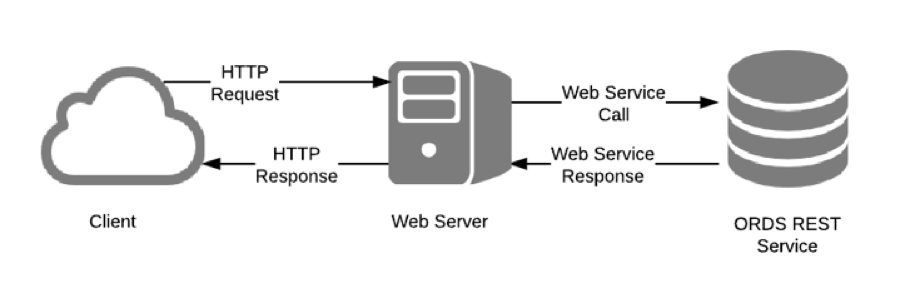
REST Service Flow
Understanding the flow from client to server and back is essential:
- Client sends HTTP request with headers
- Request passes through application server
- ORDS processes the request
- Handler executes PL/SQL logic
- Response returns to client with headers
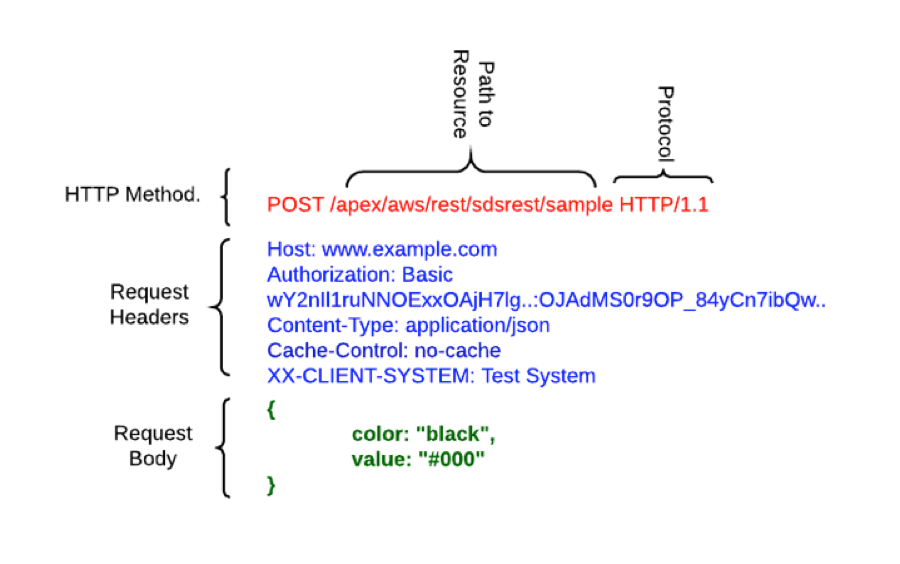
HTTP Request Anatomy
HTTP Methods
ORDS supports standard HTTP methods:
- GET: Retrieve data
- POST: Create new records
- PUT: Update existing records
- DELETE: Remove records
- PATCH: Partial updates
Request Headers
Common request headers include:
- Host: Target server
- Authorization: Authentication credentials
- Content-Type: Format of request body
- Cache-Control: Caching directives
- Custom headers: Application-specific headers
Request Body
For POST, PUT, and PATCH requests, the body contains the data payload, typically in JSON format.
ORDS Variables
Input Variables
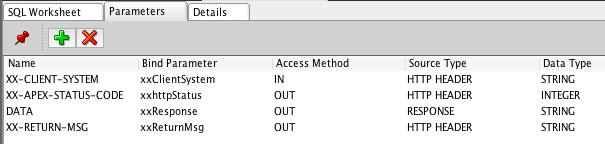
In ORDS 3.x, the X-APEX headers from version 2.x are no longer available. Instead, developers should use OWA_UTIL to access CGI information:
l_method := owa_util.get_cgi_env('REQUEST_METHOD');
l_path   := owa_util.get_cgi_env('PATH_INFO');
Output Variables
Three key output variables control the response:
- X-APEX-STATUS-CODE: Set the HTTP status code
- Response bind variable: The response message body
- X-APEX-FORWARD: Redirect to another service
Custom Variables
Accessing Custom Inbound Headers
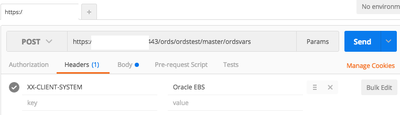
To access custom headers sent by the client, use the OWA_UTIL package:
l_custom_header := owa_util.get_cgi_env('HTTP_X_MY_CUSTOM_HEADER');Setting Response Headers
Use a “XX-” prefix convention for custom response headers to avoid conflicts:
:xx_my_custom_response := 'Custom Value';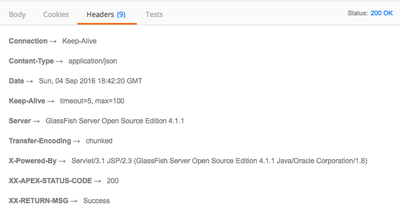
Complete Example
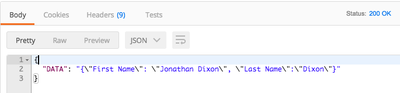
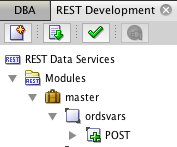
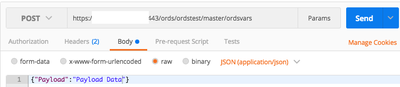
Here’s a POST handler demonstrating variable access:
DECLARE
  l_method        VARCHAR2(100);
  l_custom_header VARCHAR2(500);
  l_status_code   NUMBER := 200;
BEGIN
  -- Get request method
  l_method := owa_util.get_cgi_env('REQUEST_METHOD');

  -- Get custom inbound header
  l_custom_header := owa_util.get_cgi_env('HTTP_X_CLIENT_ID');

  -- Process the request
  IF l_custom_header IS NULL THEN
    l_status_code := 400;
    :response := '{"error": "X-Client-ID header is required"}';
  ELSE
    :response := '{"status": "success", "method": "' || l_method || '"}';
  END IF;

  -- Set status code
  :x_apex_status_code := l_status_code;

  -- Set custom response header
  :xx_processed_by := 'ORDS Handler v1.0';
END;
Conclusion
Understanding HTTP headers and variables in ORDS 3.x is essential for building sophisticated REST services. While the X-APEX headers from 2.x are gone, OWA_UTIL provides comprehensive access to CGI information, and output bind variables give you full control over responses.
Jon Dixon, Co-Founder JMJ Cloud