
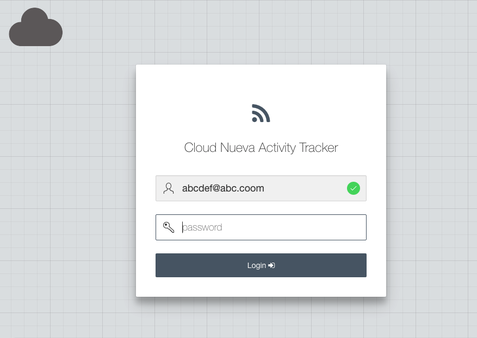
This post discusses customizing APEX application login pages with a checkered background pattern similar to APEX 5’s developer login page.

Introduction
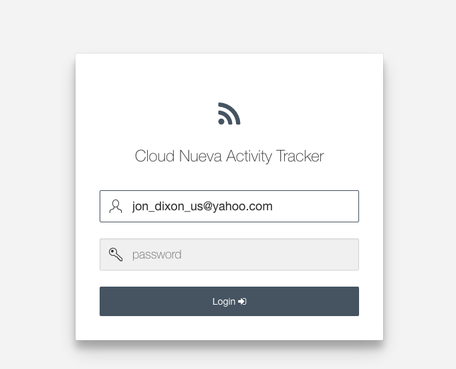
There have been a few posts on fancying up the login page. Dimitri Gielis’s “APEX 5 Pimping the Login Page” was particularly inspiring. I wanted to create a checkered background effect similar to what you see on the APEX developer login page.
Technical Implementation
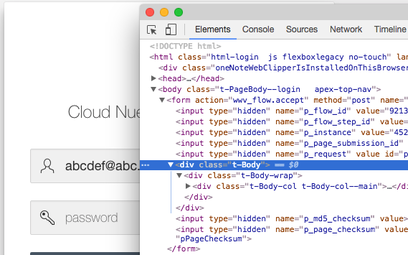
The login page body uses a class named t-Body. The CSS creates the checkered effect using a combination of gradients and images, which can be confusing at first.
The CSS
Here’s the CSS that creates the checkered background effect:
.t-Body {
  background-color: #DEE1E3;
  background-image:
    linear-gradient(45deg, rgba(0,0,0,.05) 25%, transparent 25%),
    linear-gradient(-45deg, rgba(0,0,0,.05) 25%, transparent 25%),
    linear-gradient(45deg, transparent 75%, rgba(0,0,0,.05) 75%),
    linear-gradient(-45deg, transparent 75%, rgba(0,0,0,.05) 75%);
  background-size: 96px 96px, 96px 96px, 24px 24px, 24px 24px;
  background-position: 0 0, 48px 0, 48px -24px, 0px 24px;
}
The key elements:
- background-color: Base color (#DEE1E3)
- linear-gradient: Multiple gradients create the pattern
- rgba(0,0,0,.05): Subtle dark overlay (5% opacity)
- background-size: Controls pattern scale
- background-position: Offsets create the checkered effect
Adding a Logo
You can also add a fixed-position logo:
.t-Body::before {
  content: '';
  position: fixed;
  top: 20px;
  left: 20px;
  width: 150px;
  height: 50px;
  background-image: url('/path/to/logo.png');
  background-size: contain;
  background-repeat: no-repeat;
}
Implementation Options
Option 1: Page CSS
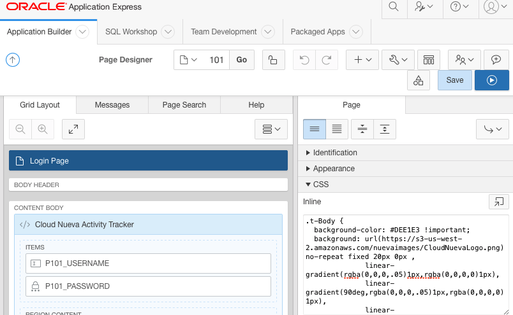
Add the CSS to your login page’s CSS > Inline section in the Page Designer.
Option 2: Inline CSS in Page Header
Add it to the page’s HTML Header section wrapped in style tags:
<style>
.t-Body {
  /* CSS here */
}
</style>
Option 3: Application Stylesheet (Recommended)
Add the CSS to a stylesheet and reference it across multiple applications for easier maintenance. This approach allows you to update the styling in one place and have it apply to all your applications.
Conclusion
The checkered background adds a professional touch to your APEX login pages. By combining CSS gradients and understanding how they overlap, you can create sophisticated visual effects without any images.
Jon Dixon, Co-Founder JMJ Cloud