
Oracle APEX Social Sign-In is a feature that has been available since APEX 18.1. Its primary purpose is to allow users to authenticate into an APEX application using third-party identity providers. While this includes popular consumer platforms like Google and Facebook, the feature’s capabilities extend much further into the enterprise space.
Why I Think it is Underselling
The term “Social Sign-In” suggests this feature is limited to social media authentication. In reality, it enables integration with dedicated cloud-based identity providers like Okta and Auth0 that offer comprehensive identity solutions including:
- Single Sign-On (SSO)
- Lifecycle management
- User management
- Multi-factor authentication
These capabilities elevate APEX’s credibility in enterprise and B2C contexts far beyond what “Social Sign-In” implies.
What about Security?
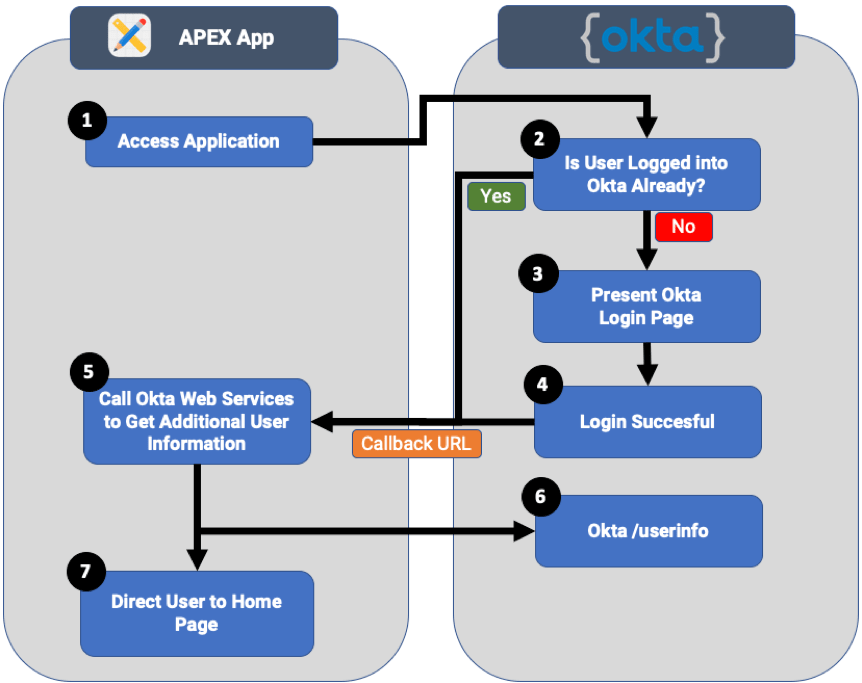
Using third-party identity providers offers significant security and convenience benefits:
Security: Organizations shouldn’t have to be experts in cryptography and secure credential storage. By offloading authentication to specialized providers, you delegate this responsibility to companies whose core business is identity security.
Convenience: Features like two-factor authentication, password resets, and account lockout policies can be implemented through configuration rather than custom development. Your users also benefit from a familiar login experience.
Before APEX Social Sign-In
Before APEX Social Sign-In was introduced, developers had to manually code authentication flows. This involved:
- Building URL redirects to the identity provider
- Making web service calls to exchange authorization codes
- Handling callbacks and token management
- Parsing and validating responses
For example, integrating with Okta in APEX 4 required significant custom PL/SQL code to handle the OAuth flow. With APEX Social Sign-In, this is reduced to configuration - zero code required!
Authenticating Okta Users into APEX
Let me demonstrate how easy it is to configure Okta authentication using OpenID Connect with APEX 18.2.
Step 1: Configure Okta Application
First, create a new application in Okta:
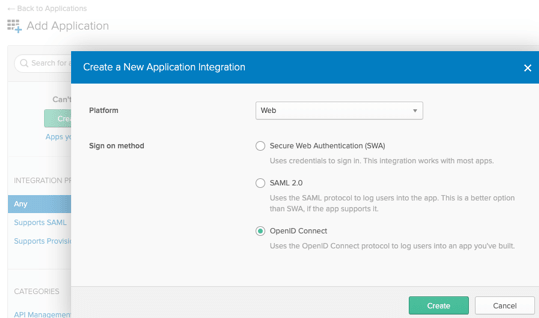
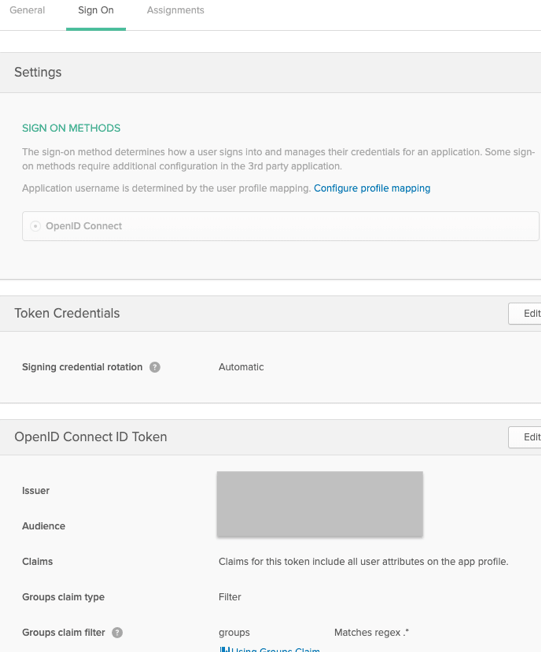
Select “Web” as the platform and “OpenID Connect” as the sign-on method.
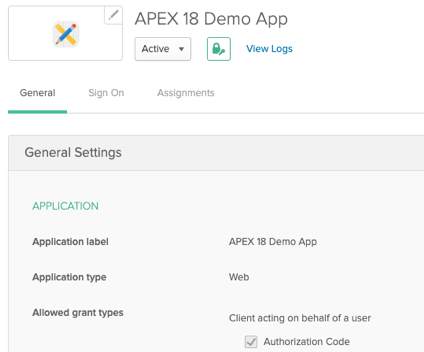
Step 2: Configure Login Redirect URI
The Login redirect URI should point to APEX’s callback endpoint:
https://your-apex-server/ords/apex_authentication.callback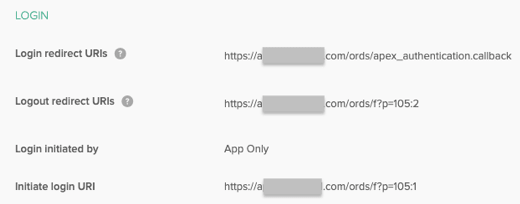
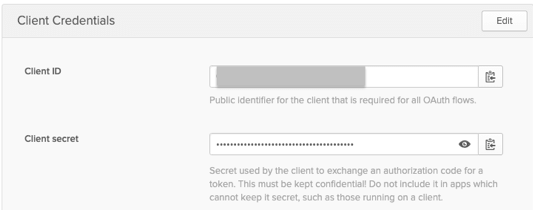
Step 3: Get Client Credentials
After creating the application, Okta provides the Client ID and Client Secret that you’ll need for APEX configuration.
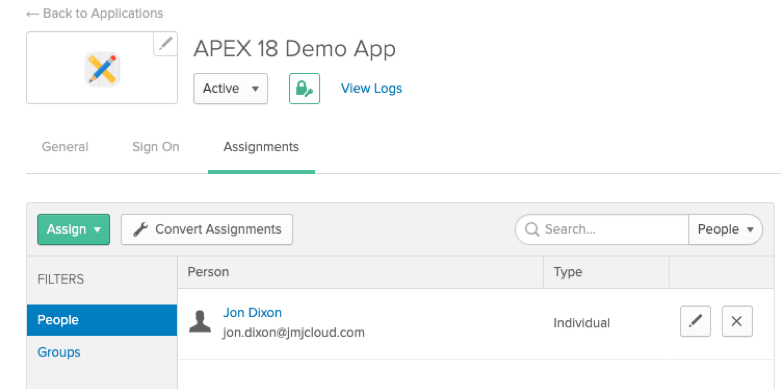
Step 4: Configure User Access
Configure which users in your Okta organization can access this application.
Step 5: Create APEX Web Credentials
In APEX, navigate to App Builder > Workspace Utilities > Web Credentials and create a new credential using the Client ID and Client Secret from Okta.
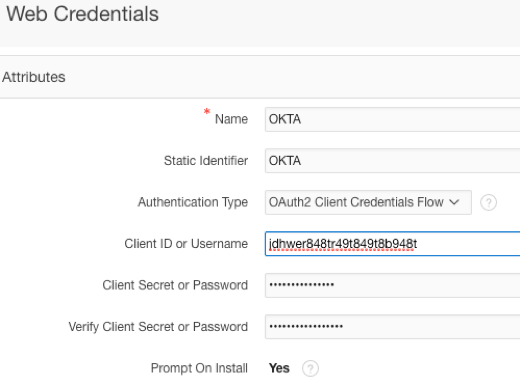
Step 6: Configure Authentication Scheme
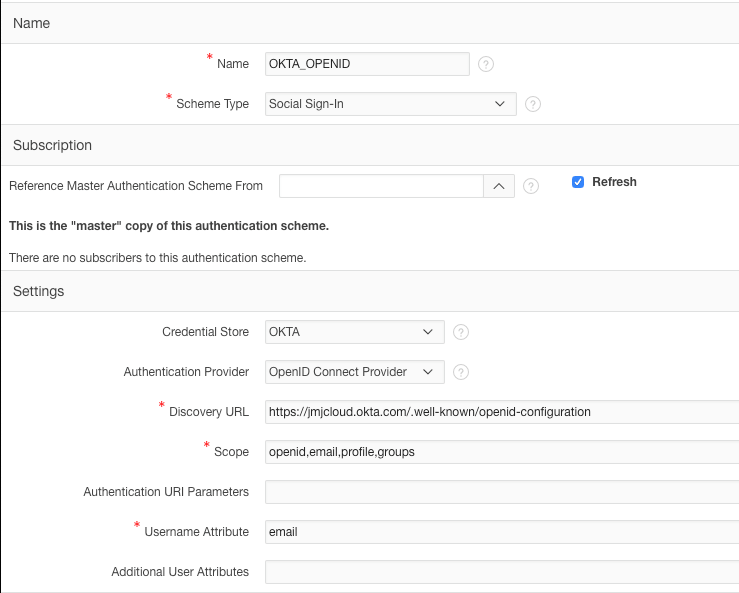
Create or modify an Authentication Scheme in your APEX application:
- Scheme Type: Social Sign-In
- Credential Store: Select the Web Credentials you created
- Authentication Provider: OpenID Connect Provider
- Discovery URL: Your Okta authorization server’s discovery URL (e.g.,
https://your-domain.okta.com/.well-known/openid-configuration) - Scope: openid profile email
Important Note
If you’re using APEX 18.2, there is a critical patch (PSE Bundle Patch 28727865) that fixes issues with OpenID Connect providers. Without this patch, you may encounter credential errors during authentication.
Conclusion
APEX Social Sign-In deserves a better name - perhaps “APEX Federated Identity Management” or “APEX Enterprise Identity Integration.” While these names may not roll off the tongue as easily, they better represent the feature’s true capabilities.
Whether you’re building internal enterprise applications that need to integrate with corporate identity providers like Okta, Azure AD, or Auth0, or consumer-facing applications that want to offer Google and Facebook login options, APEX Social Sign-In has you covered. The fact that this level of enterprise integration can be achieved through configuration alone is remarkable.
Jon Dixon, Co-Founder JMJ Cloud