
I’ve been working with APEX since version 4, and printing has been a persistent challenge. When clients ask about document generation capabilities, the conversation has often been complicated. In this post, I’ll explore APEX Office Print (AOP) and whether it’s the solution we’ve been waiting for.

What is APEX Office Print?
AOP is a solution for generating formatted documents in multiple formats:
- Microsoft Word (DOCX)
- Microsoft Excel (XLSX)
- Microsoft PowerPoint (PPTX)
- HTML
- Plain text
- PDF (via conversion)
It operates as a web service with both cloud and on-premise versions, making it technology-agnostic. The product includes an APEX plugin for tight integration, but you can also call it from any system that can make HTTP requests.
Why is it Different?
Several factors set AOP apart from previous APEX printing solutions:
Cloud Availability
Unlike Oracle BI Publisher which requires on-premise infrastructure, AOP offers a cloud-hosted service. You can be up and running without any server installation.
Tight APEX Integration
The AOP plugin integrates directly into APEX Dynamic Actions. Generate documents with a button click, no PL/SQL required.
JSON Payloads
AOP uses JSON for data payloads (versus XML with BI Publisher). This aligns with modern web development practices and is easier to debug.
Powerful Templating

Templates use familiar Microsoft Office documents with special placeholder syntax. Your users can potentially maintain templates themselves without developer involvement.
Reasonable Pricing
Compared to Oracle BI Publisher licensing, AOP offers more accessible pricing for small and medium projects.
Use Cases
Use Case 1: Inspection Reports
Generate inspection reports combining data from multiple sources. The template pulls in header information, line items, and images into a formatted Word document.
Use Case 2: Generic Interactive Report Downloads
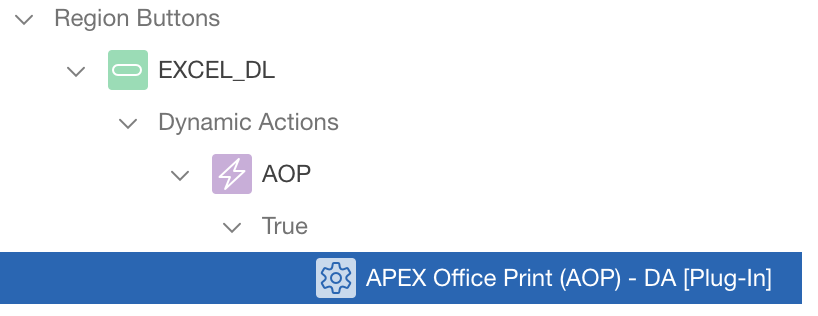
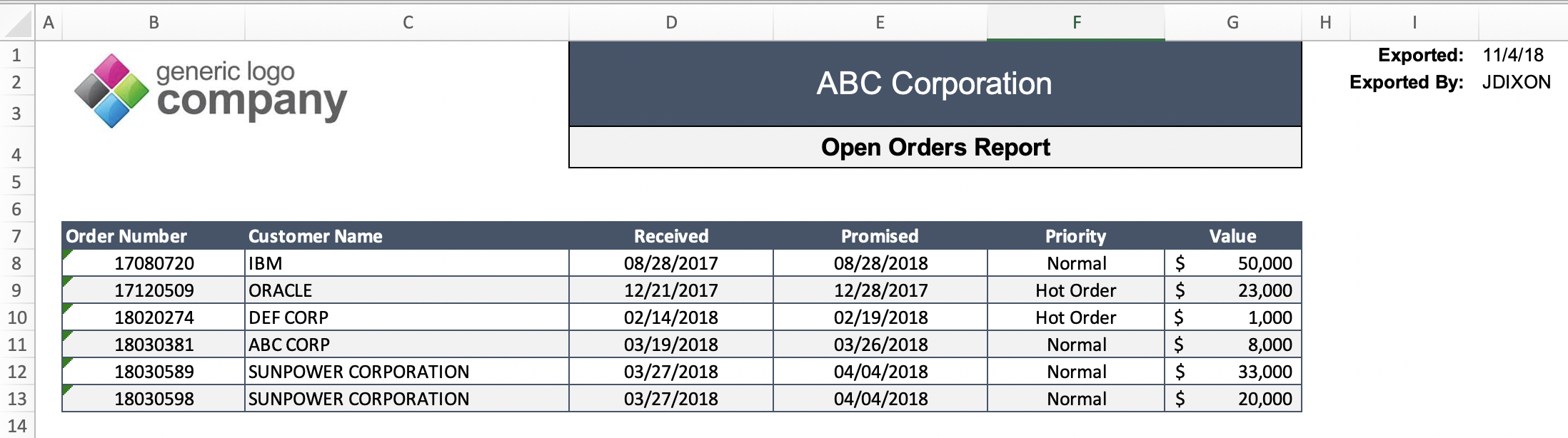
One powerful use case is creating a generic template for downloading any Interactive Report to Excel.
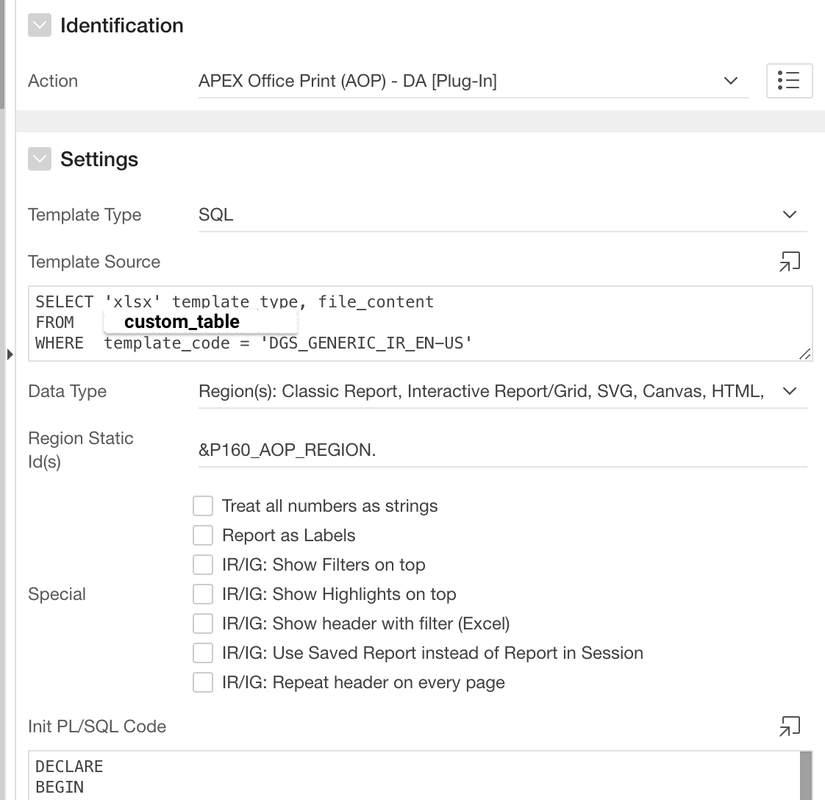
Using a single reusable template with dynamic column detection:
Use Case 3: Employee Document Receipt Confirmation
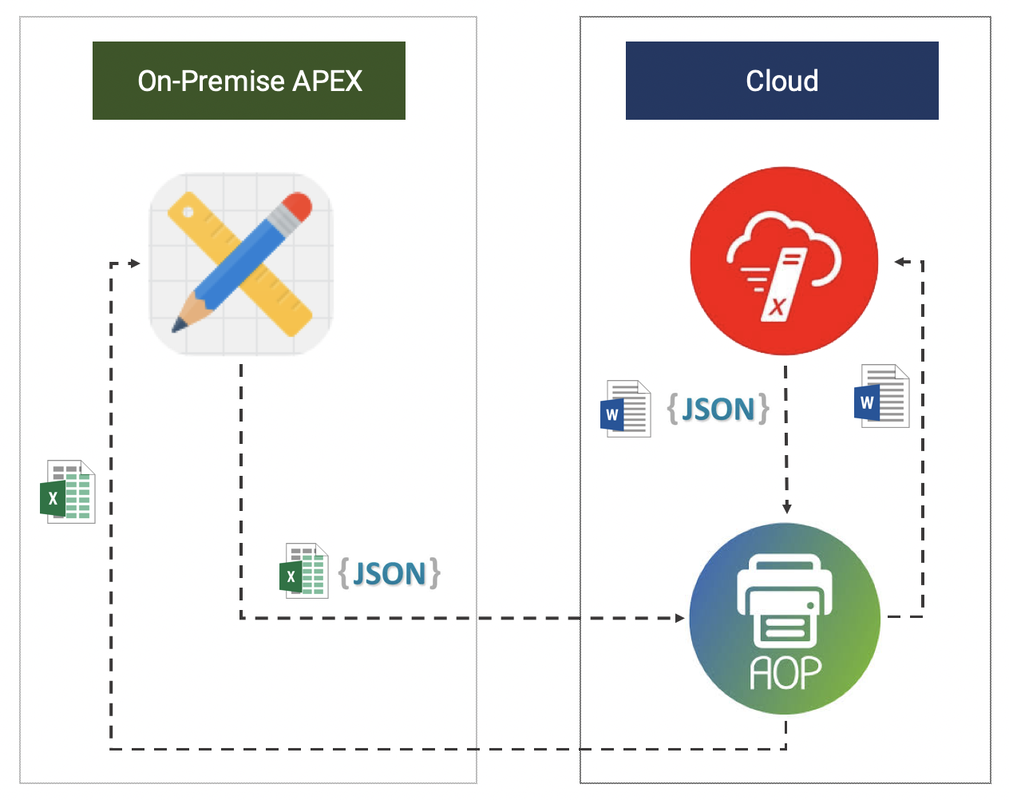
Generate personalized documents that employees acknowledge receipt of. Works across on-premise APEX and cloud-hosted systems, demonstrating AOP’s flexibility.
Room for Improvement
While AOP is impressive, I have two suggestions:
Direct Cloud Template Storage
Support storing templates directly in cloud storage like AWS S3. Currently, templates must be stored in APEX static files or the database, which can be limiting for large organizations.
Free Development Mode Credits
Reduce iteration costs during development. Currently, each document generation consumes credits, which adds up during the design and testing phase.
Conclusion
Is APEX Office Print the printing solution we’ve been waiting for? For many use cases, yes.
Strengths:
- Easy integration with APEX
- Cloud and on-premise options
- Familiar Office document templates
- Active development and support
Considerations:
- Cost per document (evaluate for high-volume scenarios)
- External service dependency
- Template management for large organizations
If you’ve struggled with printing in APEX, AOP deserves serious evaluation. The plugin approach makes it easy to prototype and prove value before committing.
Jon Dixon, Co-Founder JMJ Cloud